Problem
The site looked visually fine, but the performance experience was weak. The mobile Lighthouse score was low, and the page had avoidable frontend issues affecting perceived speed.
Frontend / SEO
A case study on improving a Next.js site's speed, Core Web Vitals, technical SEO foundation, and conversion-facing UX through practical frontend optimization.
Next.js • Core Web Vitals • Lighthouse • Technical SEO • Image Optimization • Dynamic Imports • Caching
The site looked visually fine, but the performance experience was weak. The mobile Lighthouse score was low, and the page had avoidable frontend issues affecting perceived speed.
I focused on frontend fundamentals: font loading, image strategy, script loading, dynamic imports, caching headers, and Core Web Vitals-friendly rendering.
The Lighthouse performance score improved from 58 to 100 in the tested setup, while accessibility, best practices, and SEO stayed strong.
The goal was not just to chase a score. The goal was to make the page load faster, reduce blocking work, improve perceived speed, and keep the site technically healthy for SEO and conversion.
Before
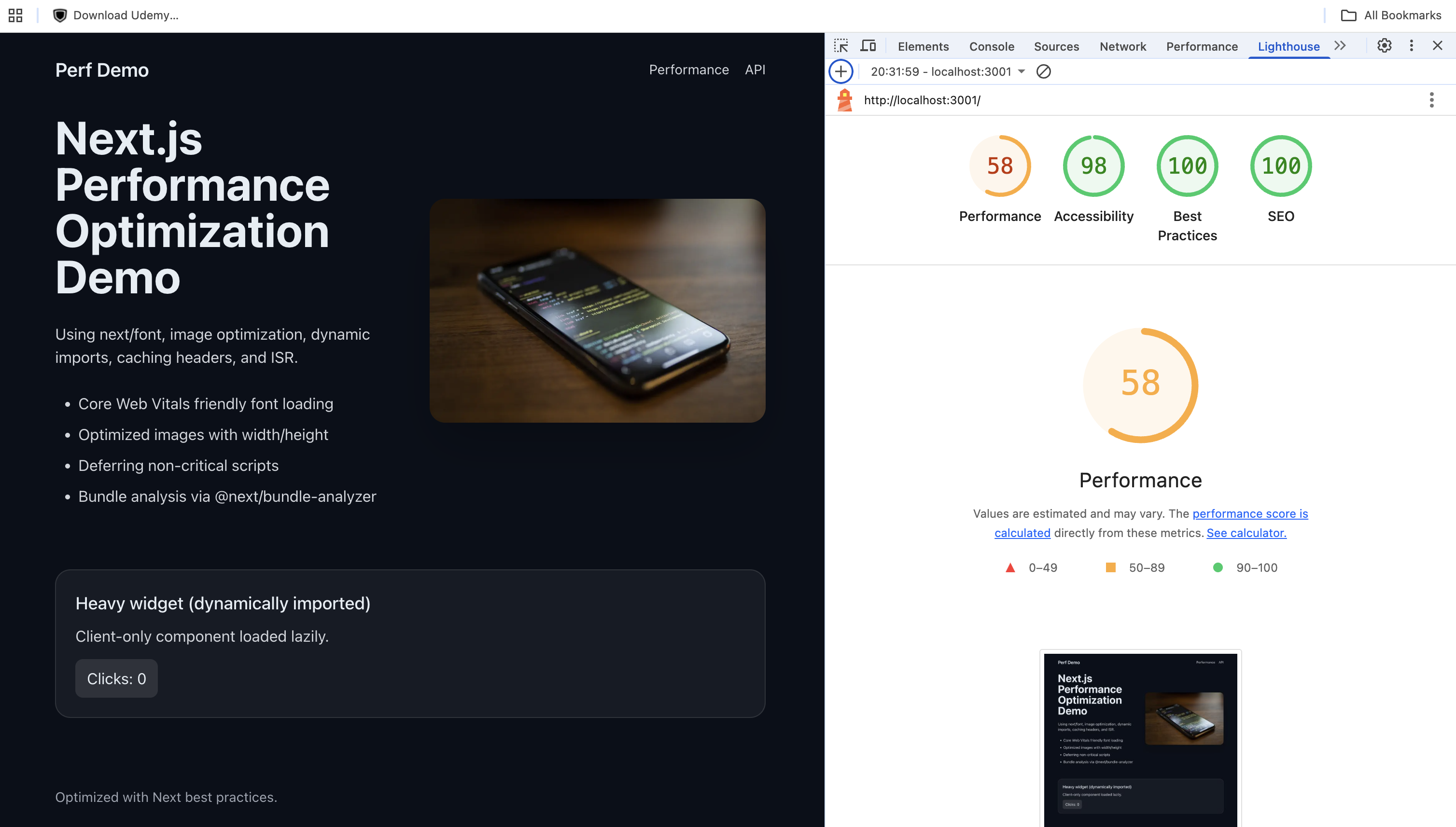
Mobile Lighthouse performance was weak, with visible room for improvement in loading behavior and frontend delivery.
After
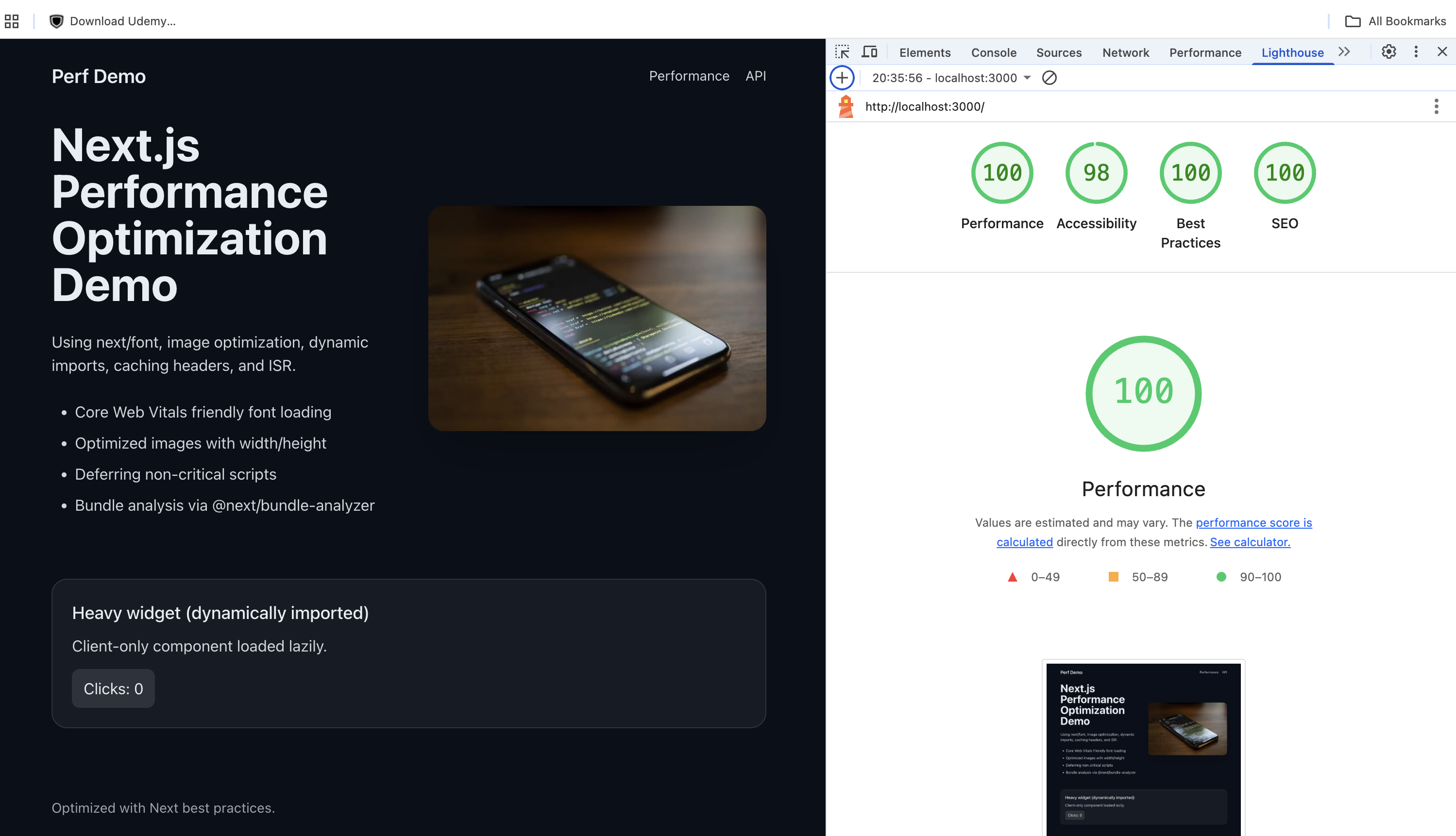
After frontend optimization, the tested page reached a perfect performance score while keeping SEO and best practices strong.
Used Next.js font optimization to reduce layout shift risk, improve loading behavior, and avoid unnecessary external font blocking.
Optimized images with correct dimensions, responsive loading, priority only where needed, and better browser hints for above-the-fold content.
Deferred non-critical scripts so third-party or heavy client-side logic does not block the first meaningful page experience.
Moved heavy or client-only components behind dynamic imports so initial JavaScript stays lighter and the page becomes interactive sooner.
Used caching headers and Incremental Static Regeneration patterns where content did not need to be recomputed on every request.
Kept metadata, page structure, semantic content, and indexability in mind so performance improvements support search visibility as well.
Performance work is not only a checklist of fixes. In a real product, it depends on frontend architecture decisions around rendering, component boundaries, JavaScript ownership, assets, and SEO-safe page structure.
Decided what should be static, cached, server-rendered, or client-rendered so the page loads fast without unnecessary runtime work.
Structured UI into reusable, focused components so performance fixes, layout changes, and UX improvements stay easy to reason about.
Kept heavy interactive widgets behind dynamic imports so non-critical JavaScript does not slow down the initial page experience.
Treated images, fonts, third-party scripts, and bundle size as architecture concerns because they directly affect LCP, TBT, and perceived speed.
Kept interaction state local where possible and avoided unnecessary global state so UI updates stay predictable, lightweight, and easier to debug.
Kept semantic HTML, metadata, heading hierarchy, crawlability, and accessibility aligned with performance work so optimization supports discoverability and trust.
A fast website is not only an engineering win. It affects how quickly users understand the page, whether they trust the experience, how smoothly they move through the flow, and whether search engines can crawl and evaluate the page effectively.
This is why I treat frontend performance, technical SEO, and conversion-facing UX together. They are separate disciplines, but in a real product they affect the same user journey.
These articles expand the thinking behind this case study: why performance scores are not the whole story, how UX clarity affects conversion, and why technical SEO needs frontend diagnosis.
I’m open to meaningful conversations around frontend performance, technical SEO, Core Web Vitals, and conversion-facing UX improvements.
Start a Conversation